Switching between mg/dL and mmol/L
The glucose unit (mg/dL or mmol/L) is changed in Settings. This page shows where to change it and what to expect afterwards on the NOW number, the chart band, the what-if peaks, Your Curves and the report.
Readings show in the wrong unit (mg/dL instead of mmol/L, or the reverse)
Why. The app is set to the other unit system. The small label under the NOW number shows which unit is active; in the demo it reads MG/DL · 9 MIN AGO. 132 mg/dL and 7.3 mmol/L are the same reading: divide mg/dL by 18 to get mmol/L. Units are changed in Settings, which opens from the icon in the top-right corner of the Today screen.

Today screen, top-right corner: this round icon opens Settings, where the unit is changed.
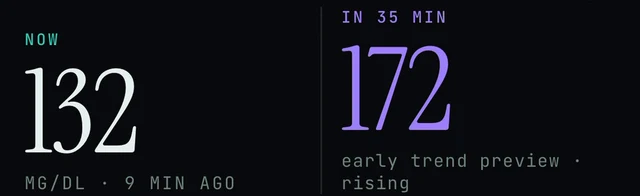
Today screen, under the NOW number: this label shows the unit the app is using. The demo reads MG/DL · 9 MIN AGO.
Today → top-right icon → Settings
- On the Today screen, tap the round icon in the top-right corner. This opens Settings.
- In Settings, look for the glucose unit option and choose mg/dL or mmol/L. We have not confirmed the exact name of the row yet, so look for mg/dL or mmol/L in the list.
- Go back to Today. The small label under the NOW number shows the unit the app is using, so check it there. In the demo it reads MG/DL.
- If you cannot find the unit option, or the unit does not match what you chose, use Settings → Report a problem (version 5.1.2 and later) or email contact@bioconscious.tech.
Two things to rule out first. If the top of Today shows the DEMO DATA · TAP TO LEAVE banner, the 132 is simulated and has nothing to do with your meter: see Demo vs live data. And if the unit already matches, compare the age line under NOW (9 MIN AGO in the demo) with your sensor app; Endobits may simply be showing an older reading: see No data or not updating.
What changes after you switch
Switching the unit changes how readings are shown, not the readings themselves: 132 in mg/dL and 7.3 in mmol/L are the same reading. We know of one unit setting, in Settings, and none per screen, so expect every number to follow it. All our screenshots show the app in mg/dL, so here is where to look after you switch.
- NOW and the forecast. The NOW number and the IN 35 MIN number sit side by side, with the unit and the reading's age under NOW. That label is the place to confirm the switch.
- The chart band. The shaded target band is 70 to 180 mg/dL, which is 3.9 to 10.0 mmol/L. Details in the chart band section.
- What-if peaks. Under the What if chips the demo shows peak ~144 instead of ~172. Those are mg/dL values: 144 mg/dL is 8.0 mmol/L and 172 mg/dL is 9.6 mmol/L. After the switch, expect the peak line in the unit shown under NOW. More on the chips: What-if scenarios.
- Your Curves. A curve keeps its shape in either unit, so the shapes should look the same after the switch. More: Learning and Your Curves.
- The report. We know of no separate unit option for the 14-day report. Change the unit in Settings, then check the report. Details in the report section.
- Entering a meter reading (calibration, version 5.1.2 and later). Tap the NOW number to enter a meter reading. Check the unit label under NOW before you type, so you enter the meter value in the unit the app is showing and a 7.3 is not typed as a 132. We have not confirmed what the entry screen looks like. More: Calibration.
Quick conversion. mg/dL divided by 18 gives mmol/L, and mmol/L times 18 gives mg/dL. So 70 is 3.9, 100 is 5.6, 132 is 7.3, 144 is 8.0, 172 is 9.6 and 180 is 10.0.
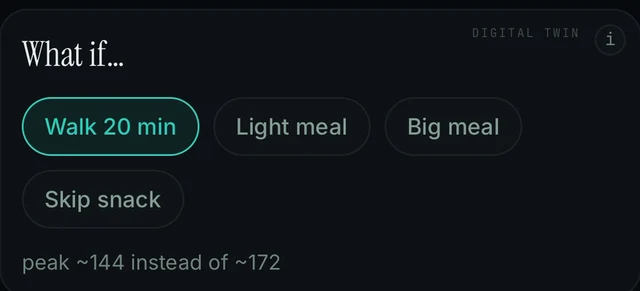
Today screen, What if card: the peak line under the chips. Demo data, in mg/dL. After a switch, expect it in the unit shown under NOW.
Switched to mmol/L but the chart band still reads 70 and 180
Why. The shaded band on the Today chart is the 70 to 180 target range. In our screenshots its edges are labelled 180 at the top and 70 at the bottom on the right edge of the chart, with target 70-180 in the legend. Those are mg/dL values; the same range in mmol/L is 3.9 to 10.0. Our screenshots only show the app in mg/dL, so we cannot show you the band after the switch. First check the label under NOW to confirm the unit actually changed; if it still reads MG/DL, the unit has not changed yet.
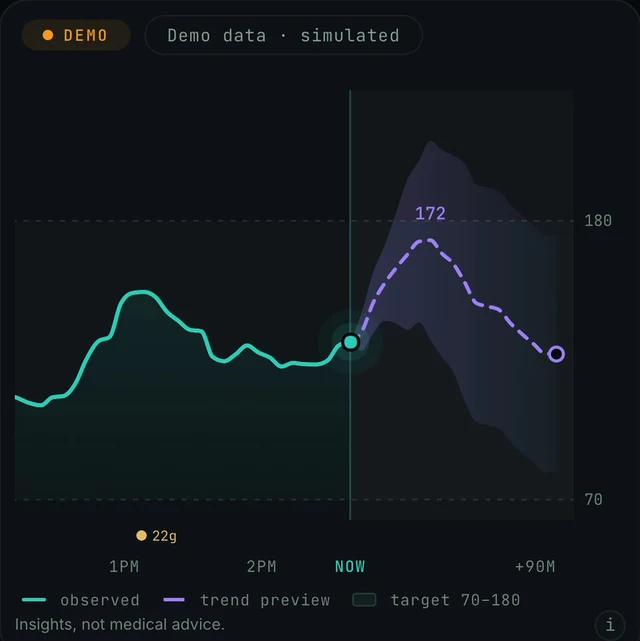
Today screen, chart card: the shaded target band with 180 at the top and 70 at the bottom, and the legend target 70-180. Demo data, in mg/dL.
Today → top-right icon → Settings
- On Today, look at the small label under the NOW number. In the screenshots it reads MG/DL · 9 MIN AGO. If it still says MG/DL, the unit has not changed yet.
- Open Settings from the icon in the top-right corner of Today, look for the glucose unit option and choose mmol/L. The exact name of this row is not confirmed, so look for mg/dL or mmol/L in the list.
- Go back to Today and check the label under NOW again, then the numbers on the right edge of the chart (180 at the top of the shaded band and 70 at the bottom in the mg/dL screenshots).
- If the NOW label shows mmol/L but the chart band still shows 70 and 180, tell us: Settings → Report a problem (attach diagnostics if you choose), or email a screenshot to contact@bioconscious.tech, or call +1 (236) 235-5295.
What the band, the NOW line and the legend mean: Reading the chart.
The report is in the wrong unit
Why. The glucose unit is changed in Settings, and we know of no separate unit option for the report. The demo shows mg/dL (NOW 132 MG/DL). Whether the report switches the moment you change the setting is not shown in our sources, so check it after switching.
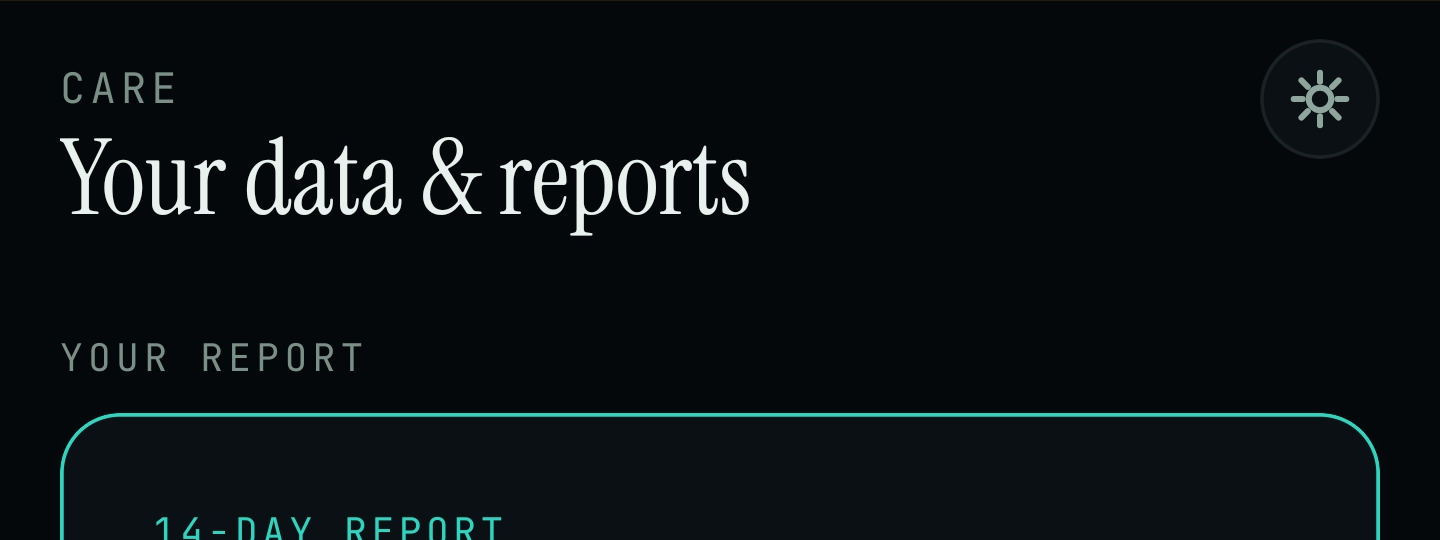
Care tab (CARE in the bottom bar): Your data & reports. The 14-DAY REPORT card sits under YOUR REPORT.
Today → top-right icon → Settings then Care → YOUR REPORT → 14-DAY REPORT
- On the Today screen, tap the icon in the top-right corner. It opens Settings.
- In Settings, look for the glucose unit option and pick mmol/L (or mg/dL). The exact name of this row is not confirmed yet.
- Go to the Care tab (CARE in the bottom bar). Under YOUR REPORT, check the 14-DAY REPORT card.
- If it still shows the old unit, go to Settings → Report a problem and tell us, or email contact@bioconscious.tech.
The report needs 10 to 14 days of reliable data before it is ready. What it contains and when it appears: Reports and trends. Everything else in Settings, including Report a problem: Settings and Report a problem.
Frequently asked
- Can I see readings in mmol/L instead of mg/dL?
- Yes. Open Settings from the top-right icon on Today and choose mmol/L. The label under the NOW number shows which unit is active. The exact name of the unit row is not confirmed.
- My number looks nothing like my sensor app (7.3 versus 132). Is the connection wrong?
- Usually it is the unit, not the connection. Endobits shows mg/dL or mmol/L; your sensor app may use the other. Change it from the Today screen: tap the icon in the top-right corner to open Settings and pick your unit. If the unit matches, compare the age line under NOW with your sensor app; Endobits may simply be showing an older reading (see No data or not updating).
Still stuck? We answer.
A person at Bio-Conscious reads every message. Tell us your phone model, your sensor, and what you see on the screen.
Real app screens · demo data. Endobits shows insights, not medical advice. Always follow your care team's guidance and your sensor's own alerts for treatment decisions.
More help: All support articles · Connect your sensor · Set up Endobits Companion