Connecting Eversense to Endobits
Endobits reads Eversense two ways: through Apple Health, which works today, or by a direct connection in the app, which is rolling out.
Via Apple Health (works today)
The Eversense app can share your readings to Apple Health. Turn that on in the Eversense app's settings, and Endobits picks up your readings from there.
- Open the Eversense app on your iPhone.
- Turn on Apple Health sharing in the app's settings.
- Done: readings flow into Apple Health, and Endobits picks them up from there.
Eversense's own integrations page: eversensecgm.com/partners ↗
Direct connection (rolling out)
Endobits also connects to your Eversense 365 or E3 sensor directly, through Senseonics’ own sign-in page, no Apple Health needed. You sign in with your Eversense account. Endobits never sees your password. This path is still rolling out.
Where to find the direct connection
- Open the Care tab in Endobits.

Tap Care at the bottom of the screen - Scroll down to Your data connection.
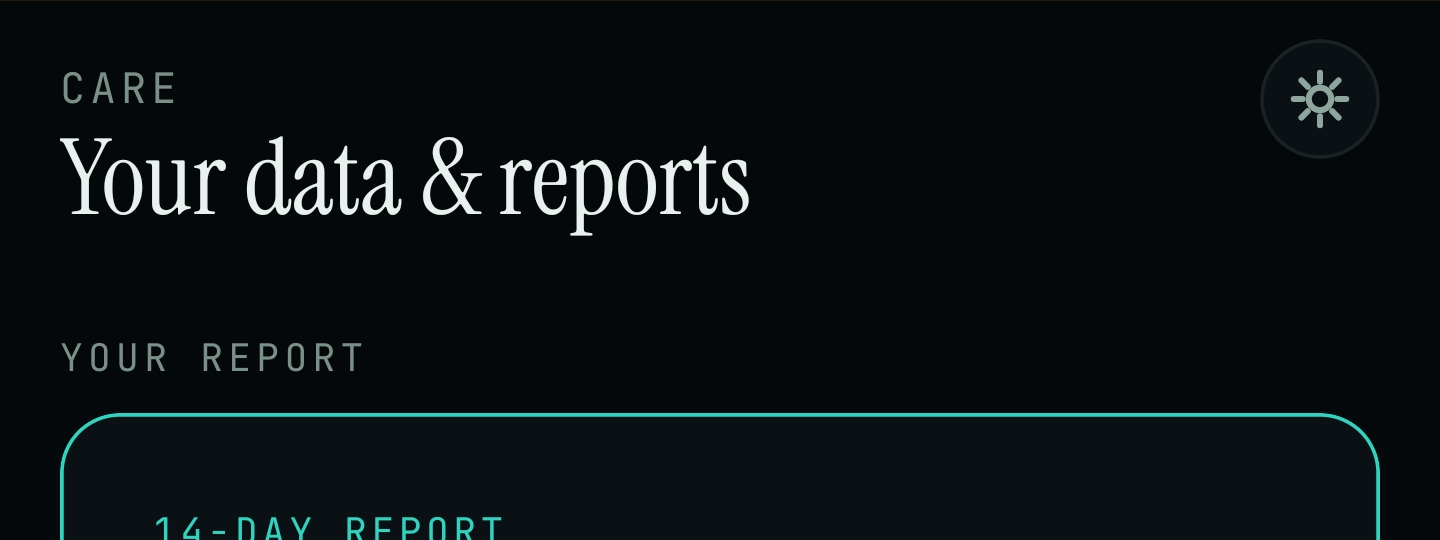
Care tab → Your data & reports - Look for Eversense API in the list, alongside Health Connect and Dexcom API.
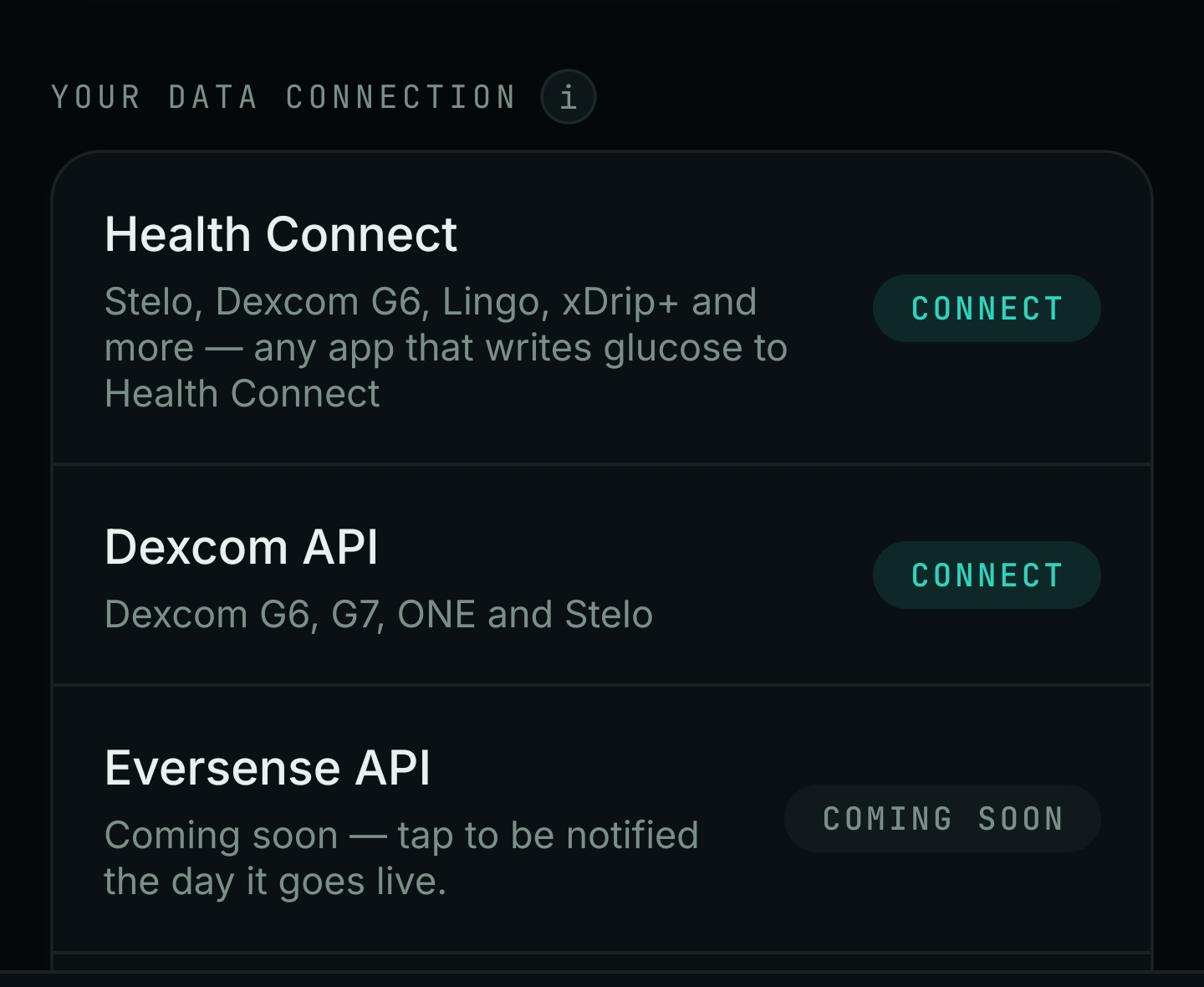
Scroll to Your data connection to find Eversense API
How to connect, once it’s live
- Tap Eversense API.
- Sign in with your Eversense account, the same one you use in the Eversense app.
- Approve the connection when asked.
- You’re done. Eversense API shows as connected in the same list.
Common problems
The direct connection still says “Coming soon”
That’s expected right now, not an error. It’s rolling out gradually. Tap it to get notified the day it goes live, or use Apple Health above in the meantime.
Apple Health isn’t sharing my readings
Check the Eversense app's own settings for Apple Health sharing first, then confirm Endobits has permission: iPhone Settings → Privacy & Security → Health → Endobits → make sure Glucose is ON.
“Sign in did not complete” (direct connection)
Try again. Make sure you’re signing in with your Eversense account, the one from the Eversense app, not an Endobits account.
Nothing shows up after connecting
Give it a few minutes, then check the Care tab again. If it still isn’t there, get in touch below and we’ll take a look.
My readings look delayed
Eversense data isn’t real time either way. It can take a little while to catch up. If it still looks off after a day, contact us and we’ll check it.
Still need help?
We’re happy to help you get connected.
Phone: +1 (235) 236-5295
Email: support@endobits.com
This page isn’t linked from the site yet. Share it directly with whoever needs it.